How it works
From your sidebar to your feed in seconds.
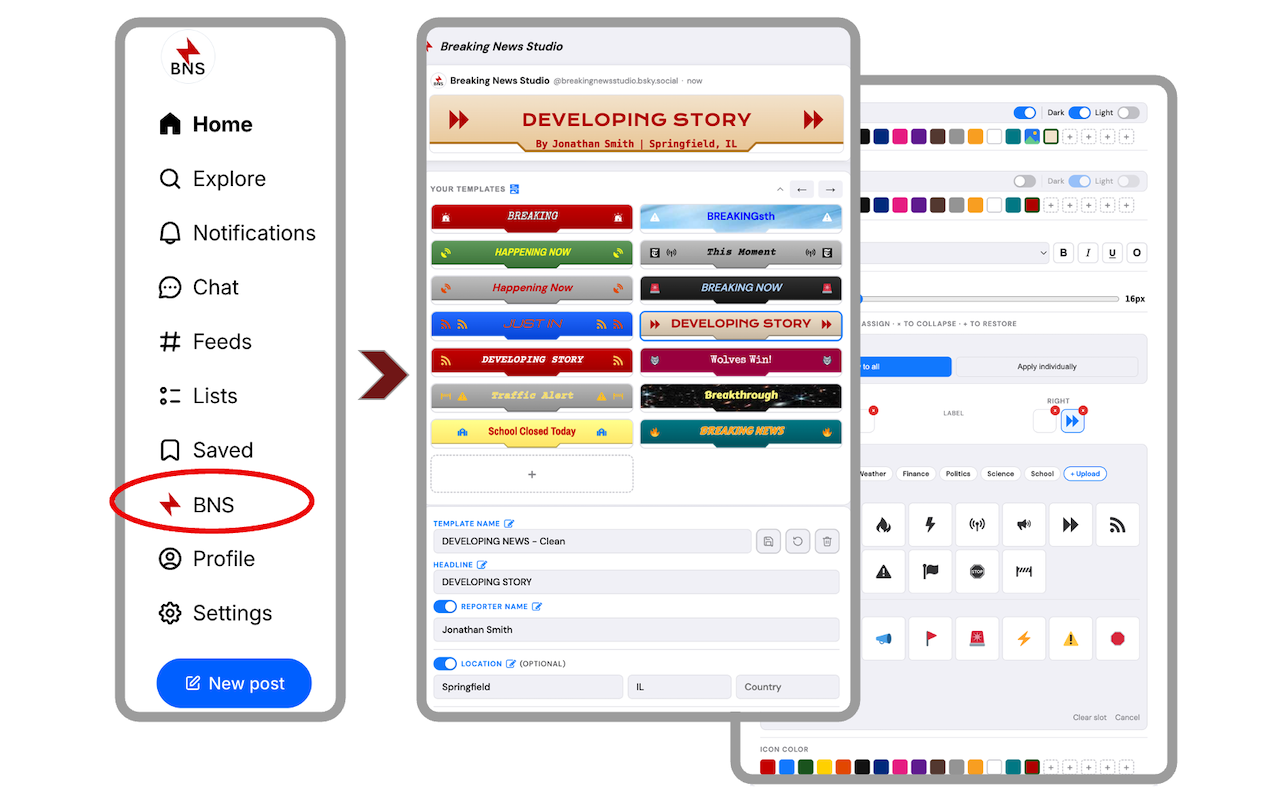
Step 1. In your Bluesky home page, click the Breaking News Studio (BNS) red lightning bolt icon in the sidebar menu to open your Breaking News Studio, where you design and save your banner templates. Design and save as many as you'd like.
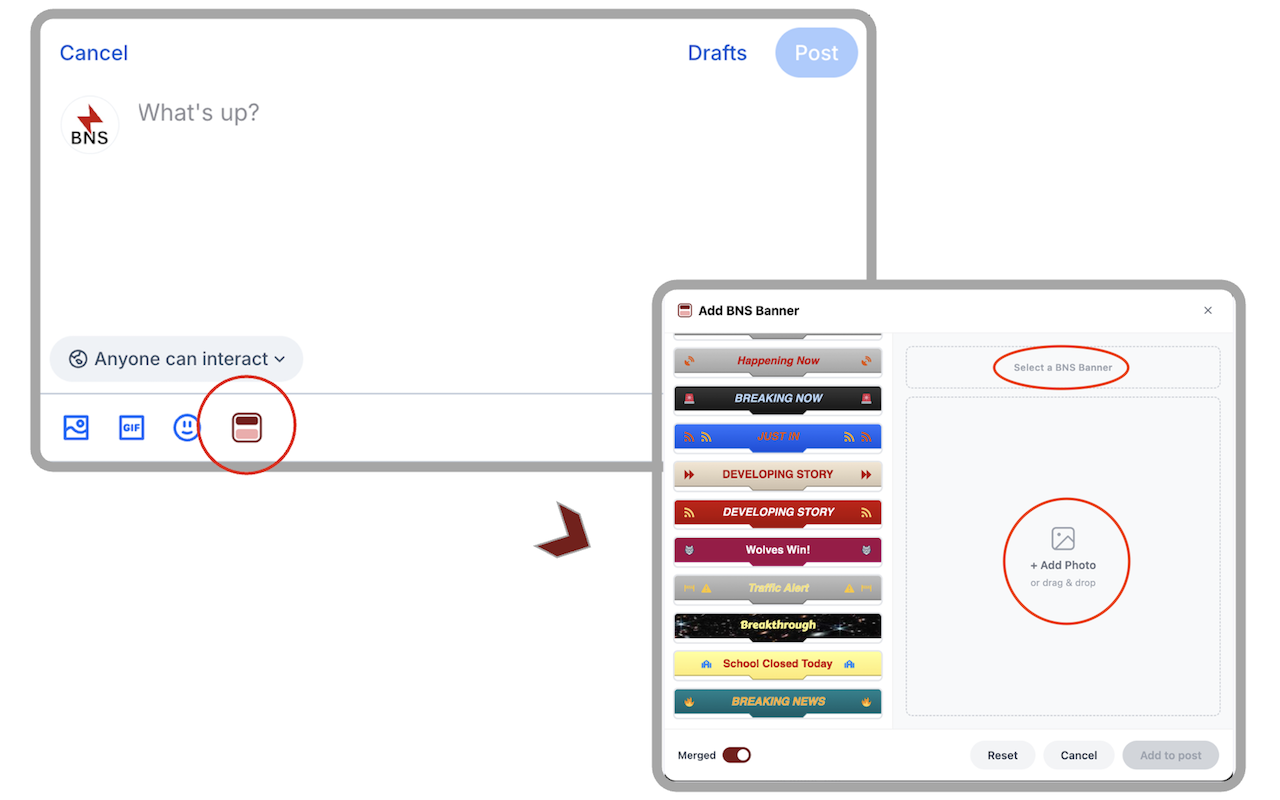
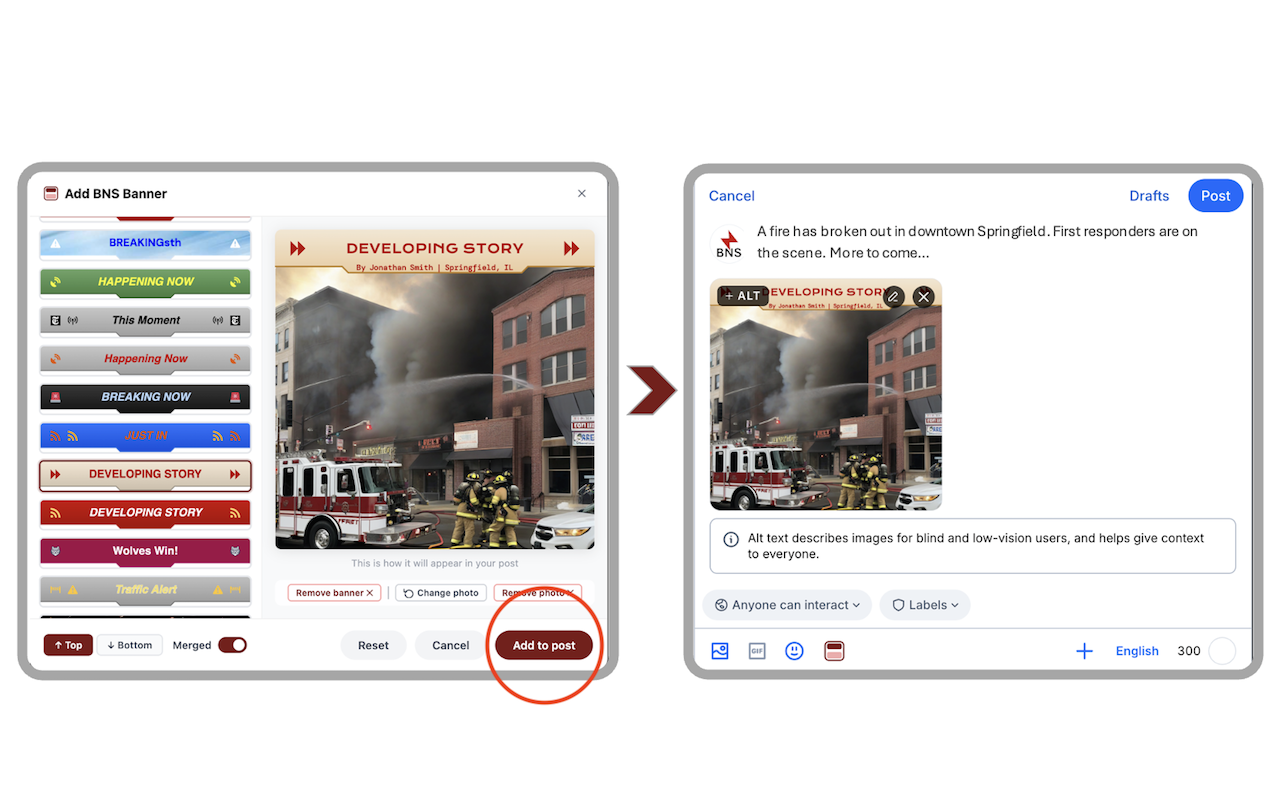
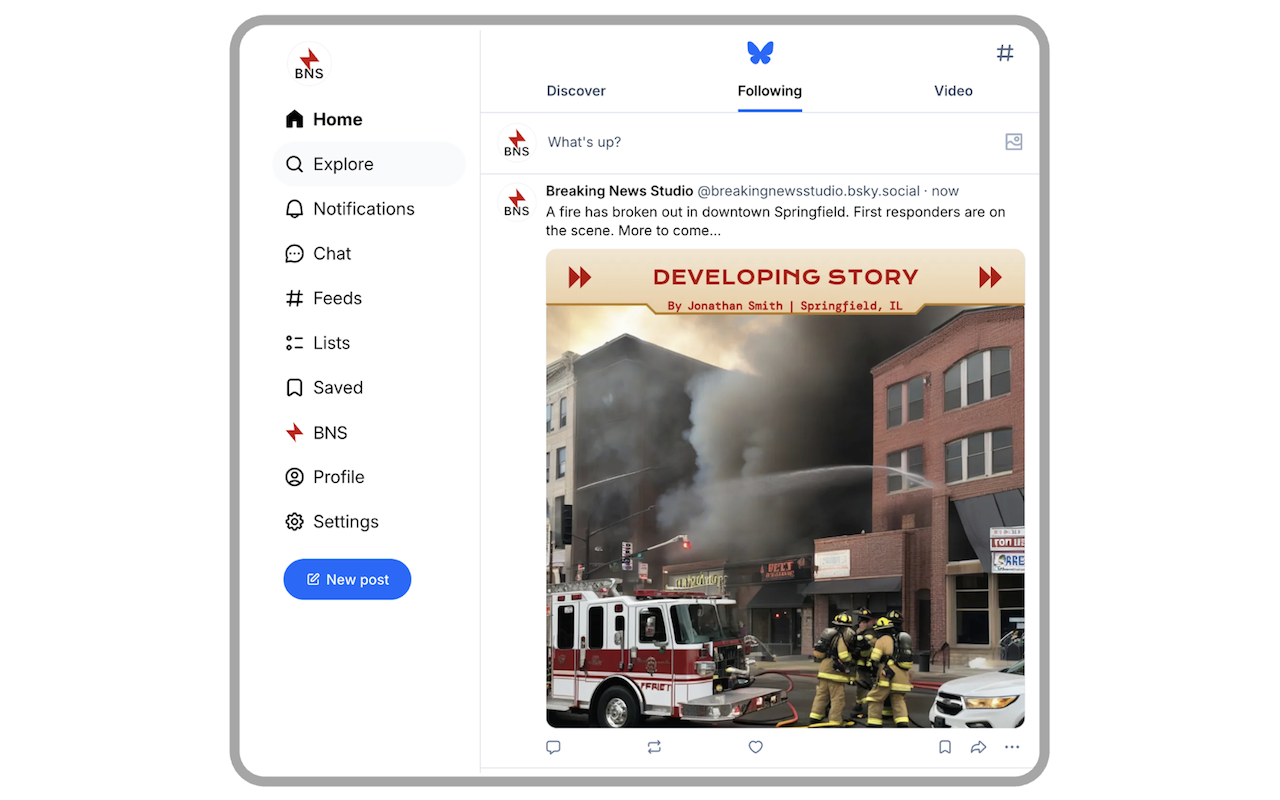
Step 2. Go back to your Bluesky page to compose your post and click the red newspaper icon to open Image Builder. Select one of your saved banners, add a photo (optional), and hit "Add to post." Your banner is composited directly onto your image and attached automatically inside your Bluesky compose window. It's that easy.
Key features
Everything you need to stand out.
- Your banner generates faster recognition of your breaking stories and alerts — helping your posts stand out in a crowded feed.
- Full customization: colors, fonts, icons, and images let you build a banner that's uniquely yours. A consistent look across your posts strengthens your personal or organizational brand.
- Get credit — and keep it. Your byline is baked directly into the image, making it harder for others to repost your work and claim it as their own.
- Speed matters. The Image Builder lives inside your Bluesky composer, so you can attach a professional banner to your post in seconds.
- Saved banners can be used over and over again.
- Works with a photo or as a banner-only post.
Built for
Made for communicators who can't afford to be ignored.
Politics, sports, finance, science, weather, and more. If you break stories, your audience should know it the moment they see your post.
Closings, emergencies, and important announcements deserve more than plain text.
When seconds count, your message needs to be impossible to miss.
Score updates, event alerts, and big announcements that look as big as the moment.